
Turn Supplier Emails into Instant Shopify Updates
GhostSync is the push-based inventory engine with preview mode, wipe-risk checks, and partial-file guardrails before live sync. Start free with manual dashboard uploads, see exactly what changes, and keep Shopify untouched until you decide to join the paid waitlist.
Team Features
Coming SoonTeam workflows are on the roadmap.
GhostSync is being designed for team workflows with role-based access and approval controls. These features are not yet available. Contact sales to express interest.
Multi-User Access (planned)
Invite teammates so warehouse and ops staff can work from their own account.
Role Permissions (planned)
Assign OWNER, ADMIN, OPERATOR, or VIEWER roles to match each person's responsibility.
Approval Policies (planned)
Gate risky actions behind approval so no single mistake pushes unsafe inventory updates.
Team collaboration and approval controls are on the roadmap and not yet available. Contact sales to express interest or get notified when they launch.
Contact sales to express interestThe "Static Feed" Problem
Are you acting as "Human Middleware"?
Merchants spend 10+ hours a week manually downloading attachments, cleaning data in Excel, and uploading to Shopify. In that time, stock runs out, and customers buy products you can't ship.
- The Risk Window
- Between the supplier email arriving and you manually updating Shopify, you are selling phantom inventory. This leads to chargebacks and ad account bans.
- Manual Errors
- One wrong column map or typo can zero out your store or mark unavailable stock as available. GhostSync's guardrails are designed to catch those risky changes before live sync.
Inventory Safety Controls
Guardrails for wipe-risk, partial files, and format drift.
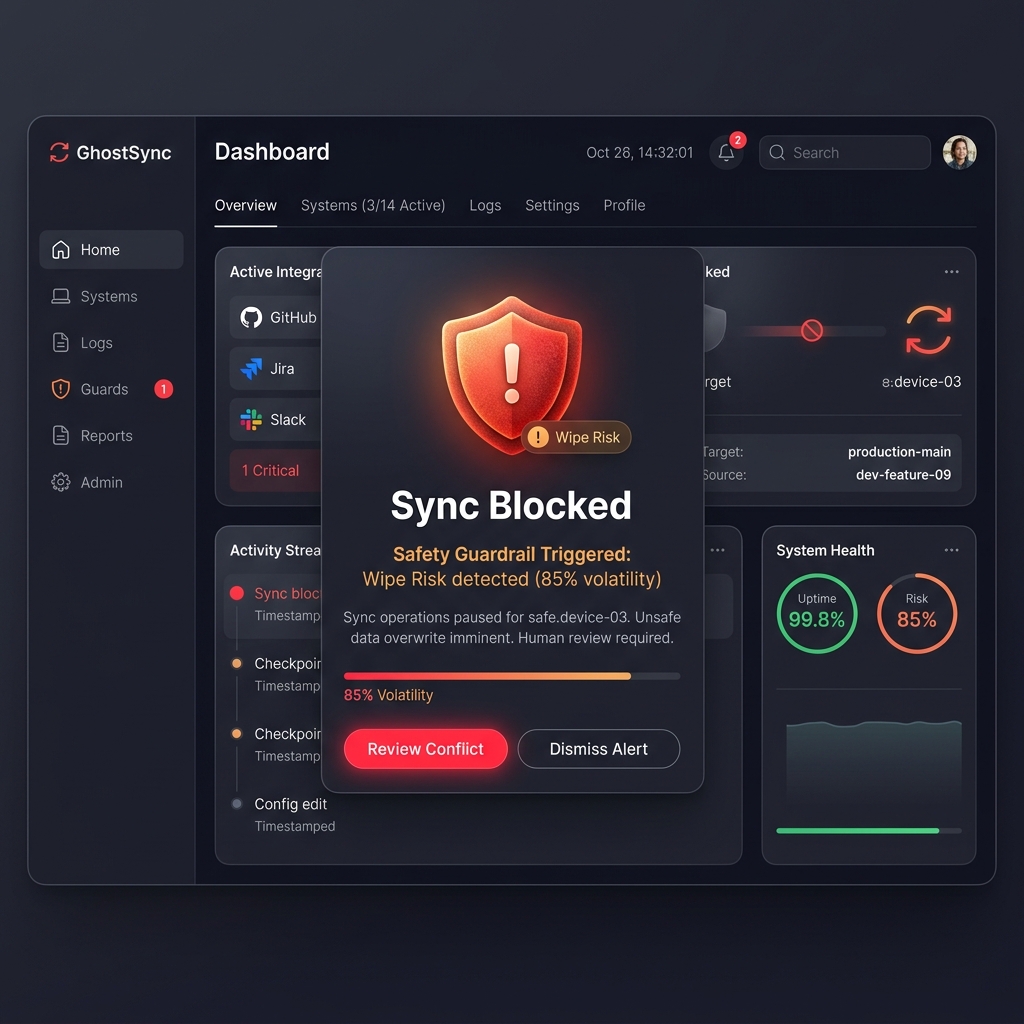
We treat all supplier data as hostile. GhostSync checks incoming files for format drift, missing columns, wipe-risk volatility, and partial-file patterns before live inventory updates run.
- Format Drift Protection
- Wipe Protection & Safe Limits
Fast Setup
Go live with your first supplier in under an hour.
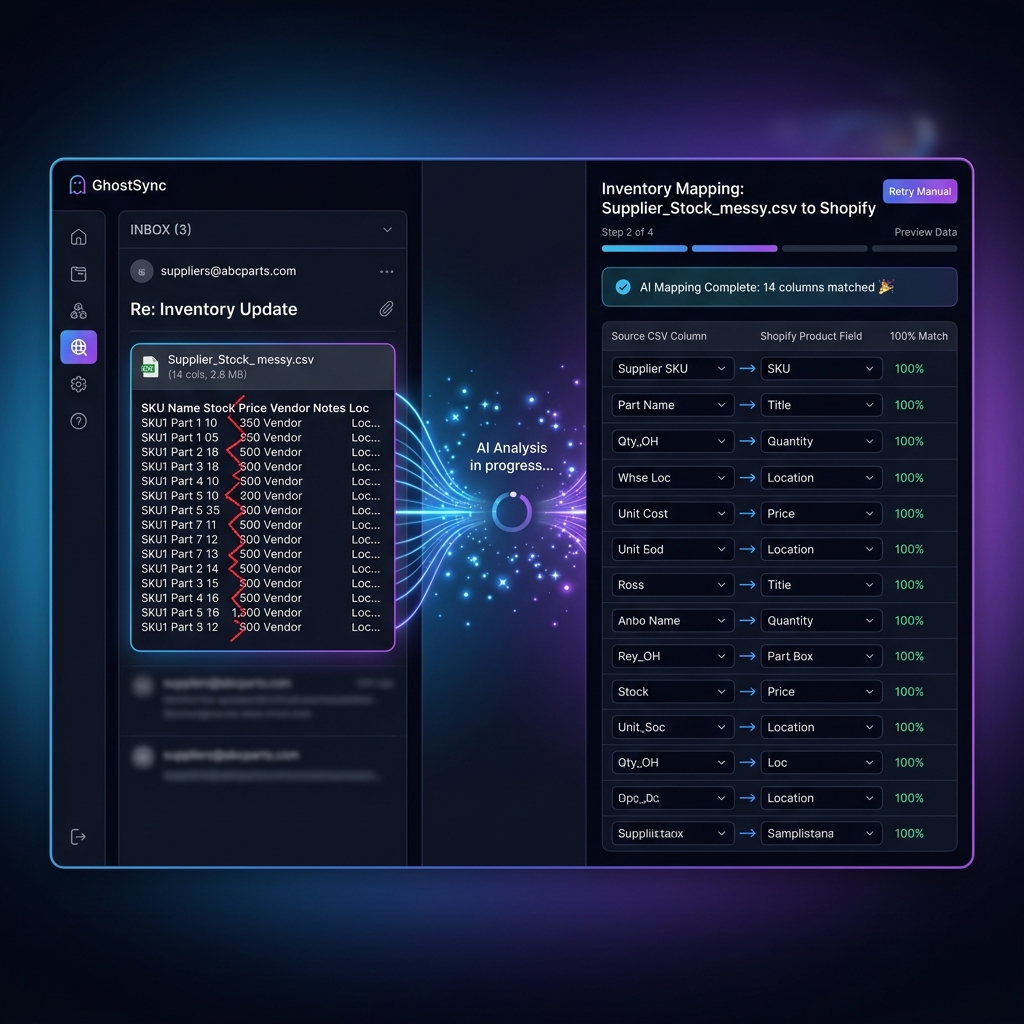
No complex mapping rules or developer time required. Just forward a past supplier email and our AI maps the columns automatically. Start in Sandbox mode to preview exactly what will change.
- AI-Powered Column Mapping
- Supports CSV, Excel, and PDF
Try it on your own supplier PDF — no signup needed.
Drop a supplier inventory PDF and see the first extracted rows before you create an account.
Drag a PDF here
First page only. 8 MB max.
Your PDF is parsed in memory and never stored.
Preview rows appear here
GhostSync reads the native table structure from page one and returns a capped preview without saving the file.
Not sure if your supplier file will import cleanly? Get a free import diagnosis
Real-Time Updates
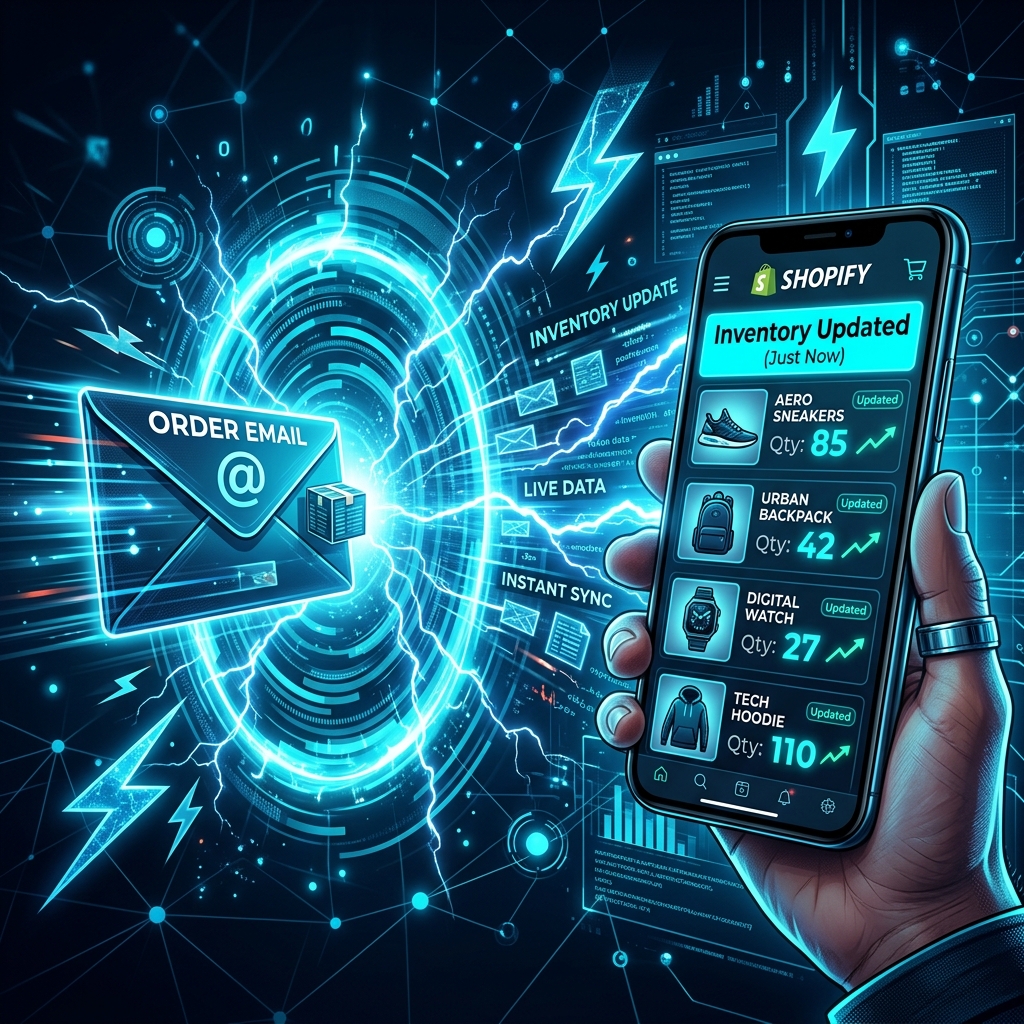
Push-based sync triggered the second an email arrives.
Don't wait for hourly schedules. Every supplier gets a unique ingestion email address. As soon as they hit 'Send', GhostSync parses the attachment and pushes the delta to Shopify.
- Unique Ingestion Emails
- Only updates what changed (The Delta)
Low-Touch Operations
Trust the system with clear green and red signals.
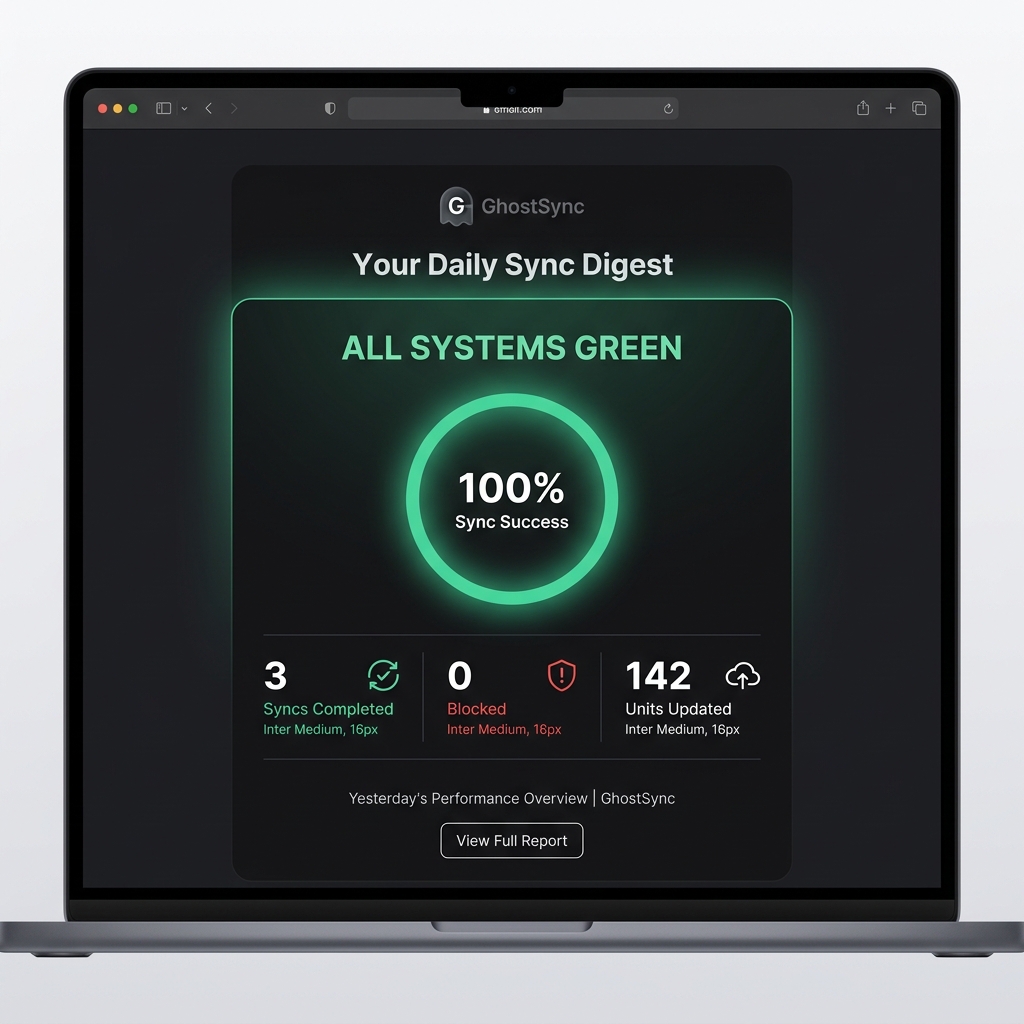
Wake up to a simple "All Green" daily digest and a minimalist dashboard. If something needs your attention, we tell you exactly what went wrong and how to fix it.
- Daily Digest Emails
- Action Needed Indicators
See it in Action
Real workflow screenshots from the beta product.
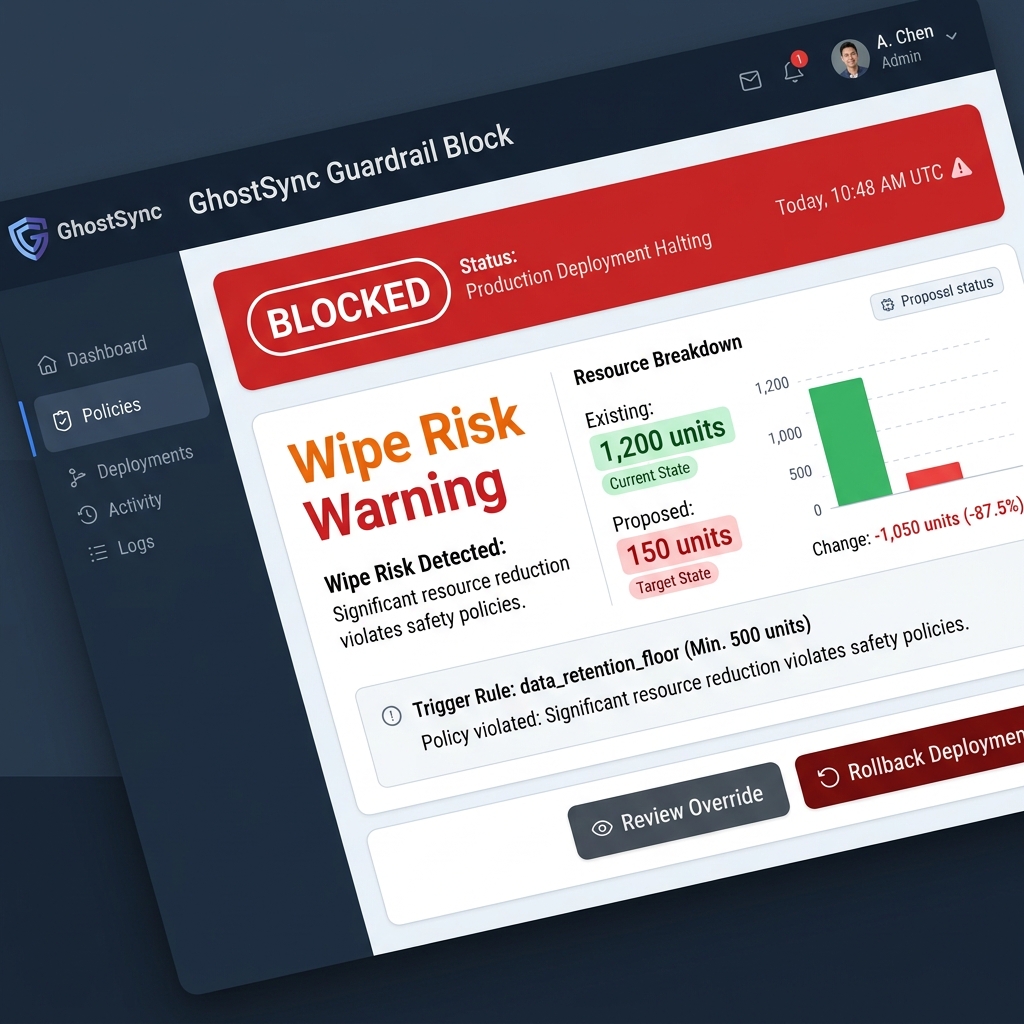
Step 3
Guardrails catch risky files before live inventory is touched
The same dashboard shows the impact ratio, volatility, and the exact reason a sync was blocked or needs review.
Step 1
Forward supplier emails
Give each supplier a dedicated GhostSync inbox and keep their normal email workflow intact.
Step 2
Preview the delta
See increases, decreases, unknown SKUs, and dry-run results before enabling live sync.
Step 4
Track trust on the dashboard
Supplier health, sync history, unknown SKU actions, and billing status stay visible in one place.
Where GhostSync Fits Best
Compare workflow shapes first, then verify any named product details on the dedicated comparison pages.
| Feature | GhostSync | General sync tools | CSV/XLSX automators | Manual workflow |
|---|---|---|---|---|
| Primary fit | Supplier email inventory updates for Shopify. | Broader product or inventory sync from feeds, hosted files, or mixed sources. | Spreadsheet-driven imports, exports, and workflow automation. | One-off downloads, cleanup, and uploads handled by a person. |
| Runtime model | Push-based when the supplier email arrives. | Often schedule-based according to public product docs. | Manual, trigger-based, or scheduled depending on the flow. | Runs only when someone notices the file and does the work. |
| PDF supplier documents | Built-in PDF parsing with OCR on qualifying plans. | PDF parsing is not highlighted in the public docs we reviewed. | PDF parsing is not highlighted in the public docs we reviewed. | Manual extraction or re-keying. |
| Inventory review posture | Preview mode plus drift, wipe-risk, and partial-file guardrails. | Alerts, preview, and review tooling vary by product and configuration. | Filters, alerts, and logs vary by workflow and plan. | Human spot checks only. |
| Setup focus | Per-supplier onboarding for messy emailed files. | Feed mapping and source configuration. | Spreadsheet field mapping for broader admin workflows. | Repeated Excel cleanup before each upload. |
Named product comparisons are kept on dedicated pages and updated against public product materials before publication.
Need the Stocky migration breakdown?
See what GhostSync replaces, what it does not, and how to stage the cutover safely.
Simple, Transparent Pricing
Preview your first supplier workflow for free — validate before live Shopify sync goes live.
Free
$0/mo
- 1 supplier connection
- 5 lifetime preview runs
- Preview-only — zero risk to live inventory
How It Works
From email to Shopify in 4 steps.
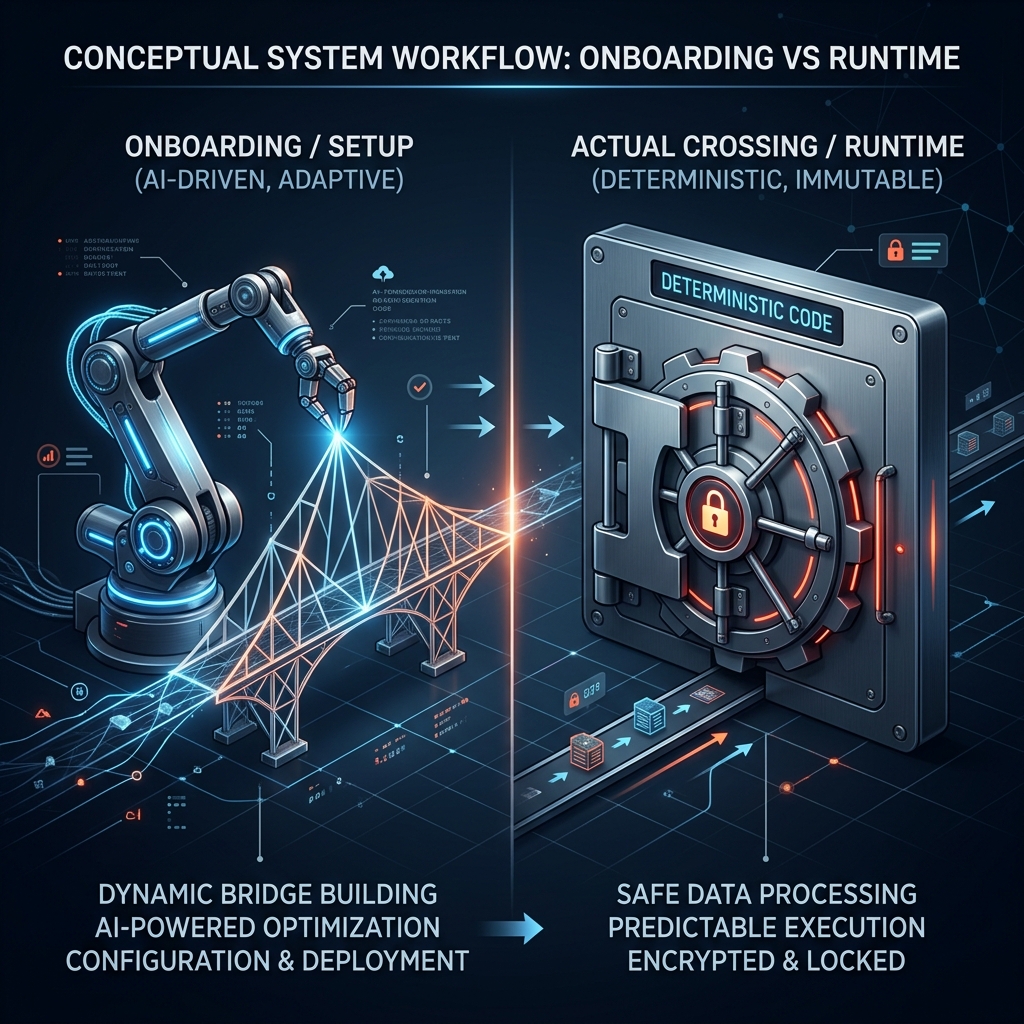
AI Setup
AI analyzes your supplier's file format (one-time setup).
Auto-Listen
GhostSync listens for supplier emails automatically.
Safety Check
Every update passes safety guardrails before reaching Shopify.
Continuous Sync
You sleep. GhostSync syncs.
What Happens When Things Go Wrong?
Because supplier files are never perfect, and incident communication has to be real.
1. Detect
Guardrails inspect every run for missing columns, partial files, volatility spikes, and drift.
2. Alert
If something is unsafe, GhostSync blocks the sync and emails the reason instead of guessing.
3. Recover
Review the log, run the override only if the file is truly correct, or roll back the last sync.
4. Communicate
If GhostSync itself is degraded, the public status page and support path tell you what is happening.
Suspicious file? Blocked automatically.
If a supplier file looks suspicious — missing columns, sudden drops, partial data — GhostSync blocks the sync and alerts you before anything changes.
Made a mistake? Revert with one click.
Every sync is logged with before-and-after values. Revert the last sync instantly from the dashboard.
Supplier changed their format? Detected.
If your supplier changes their file layout, GhostSync detects the drift before corrupting your inventory data.
Know whether the problem is your supplier file or GhostSync itself.
If your supplier sent a bad file, the troubleshooting guide and guardrails docs tell you how to recover. If GhostSync is degraded, the status page is the source of truth. If you are still stuck, email support.
Built for Safety, Not Speed
Every sync passes through multiple safety checks before touching your Shopify inventory.

Questions Merchants Ask Before Trusting Automation
The Public Beta is built around safety, not “set it and hope.”
Is my data safe?+
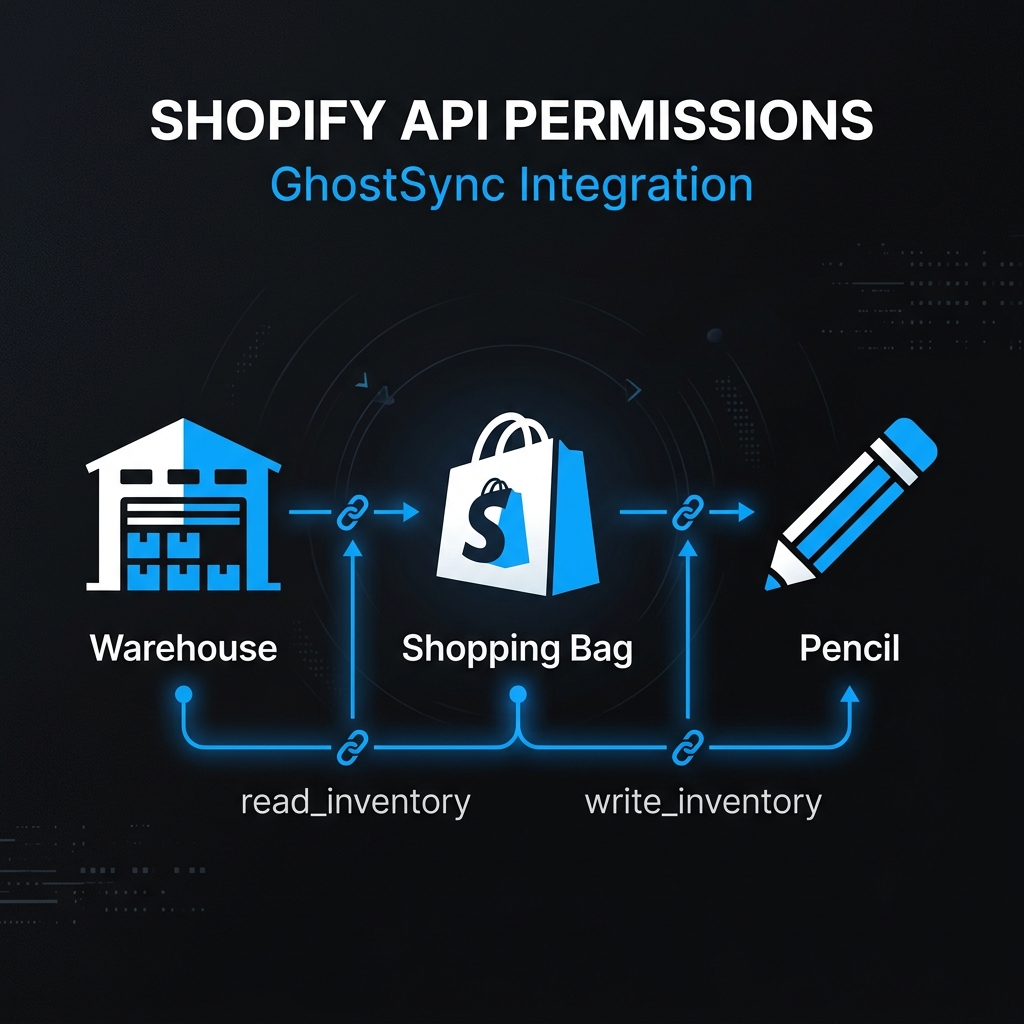
GhostSync only requests write_inventory, read_inventory, read_locations, and read_products, encrypts platform data on AWS-managed infrastructure, and treats every supplier file as untrusted input.
What if the sync goes wrong?+
Guardrails block wipe-risk and partial-file mistakes before Shopify is updated, and preview mode lets you inspect the delta before enabling live sync.
How does GhostSync compare to Stock Sync?+
GhostSync is narrower: it is built for supplier email workflows, uses AI during onboarding only, and keeps daily runtime push-based with preview before live sync. Stock Sync's public docs describe a broader scheduled feed and product sync tool.
How long does setup take?+
Most stores connect the first supplier in under an hour using the onboarding wizard, template generation, and a dashboard-based preview run.
Why not use a VA or Zapier?+
Manual entry is slow and error-prone. GhostSync is built for messy supplier email attachments and blocks unsafe updates instead of guessing.
What happens after the beta?+
You keep the workflows you configure during beta. The free tier stays preview-only, and paid live-sync plans are opening through a waitlist.
How much does GhostSync cost?+
GhostSync offers a free preview-only plan for one supplier with 20 lifetime preview runs. Paid plans that enable live sync and automatic email ingestion are opening soon through a waitlist.
Can I try it without risking my inventory?+
Yes. The free tier never writes inventory to Shopify. Upload a file, inspect the preview, and only join the paid waitlist if you want live sync later.
Can I add my warehouse manager?+
Multi-user team access is on the roadmap but not yet available. GhostSync currently supports a single owner account per store. Contact sales to express interest or get notified when team features launch.
Can I restrict who can approve syncs?+
Approval policies are planned but not yet available. Contact sales to express interest or get notified when approval controls launch.
What happens if a team member makes a mistake?+
Team features and approval gating are planned but not yet available. Today, GhostSync's guardrails block risky sync changes automatically, and the merchant audit trail covers support escalations, export activity, and go-live or rollback actions.
Ready to automate your inventory?
Preview the workflow free. Upgrade to enable live Shopify sync.